
Shadow MCP servers are the version of this problem no one budgeted for: your developers connected AI tools to real systems, it took them under a minute each, and there is no list anywhere of what they connected. Not because anyone was careless. Because nothing in the process was designed to produce a list.
If you have read what MCP is and why its security matters, you know the risk of a single server. This is the organizational version, and it is harder, because you cannot evaluate what you cannot see.
I knew the term MCP. What I did not know was that I had been using it for months. Writing this post, I opened the connector settings in my own AI client and found three active connections: Google Drive, Notion, and a browser extension that can drive my browser directly. Those connectors are MCP servers underneath, and I had approved every one of them myself, one at a time, without ever thinking of them as a set. Asked beforehand to list what my assistant could reach, I would have guessed wrong.
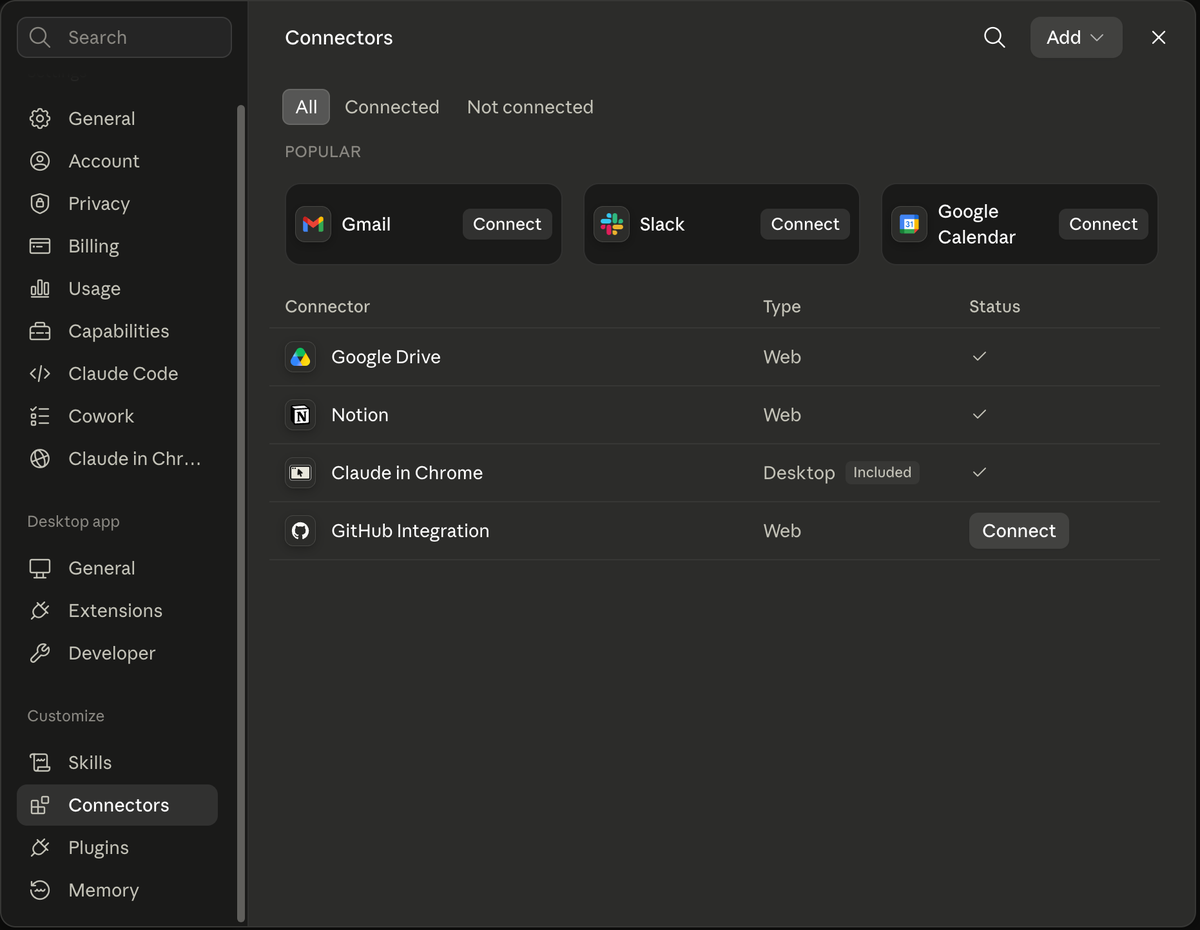
Three connections, approved one at a time, reaching my documents, my notes, and my browser. Nothing here is unauthorized. I just could not have named it from memory.
That is the mild version of the problem, and it pays to be precise about why. These are curated, first-party connectors in a consumer app, not unvetted third-party code on an engineer’s laptop. If visibility fails at this end of the spectrum, where somebody else has already done the vetting and there are only three of them, ask what the count looks like across a team where no one vetted anything.
Shadow MCP servers spread faster than shadow SaaS
Shadow IT is not new. Someone signs up for a SaaS tool with a company card, and eventually finance or SSO logs catch it. The feedback loop is slow, but it exists.
MCP breaks that loop in three ways at once.
There is often nothing to buy. The local kind, which is what this post is mostly about, is a package you install rather than a product you purchase: no card, no invoice, no vendor form, no SSO integration, so the procurement trail that eventually surfaces a rogue SaaS subscription never gets created. Remote MCP servers are a different animal and can involve OAuth registration, a paid API and a contract, which means they do leave a trail if anyone is reading it.
The install is a single line. Adding a server means pasting a command from a README. There is no deployment, no ticket, and no moment where anyone else is involved. On developer forums, the recurring complaint is not that people ignore approval processes, it is that the approval process takes longer than the task the tool was meant to help with, so the tool gets used first and disclosed later, or never.
The server itself does not look like anything on your network. A local MCP server is a process on a laptop, usually talking over stdio or a local port inside a developer tool, so it does not register as a new SaaS domain or a new software install. What it reaches out to can still be visible: a server that calls GitHub, Slack or a cloud database produces OAuth grants, DNS lookups and API traffic your existing tools may already be logging. The gap is that none of that names the server, so you see a connection without knowing what asked for it.
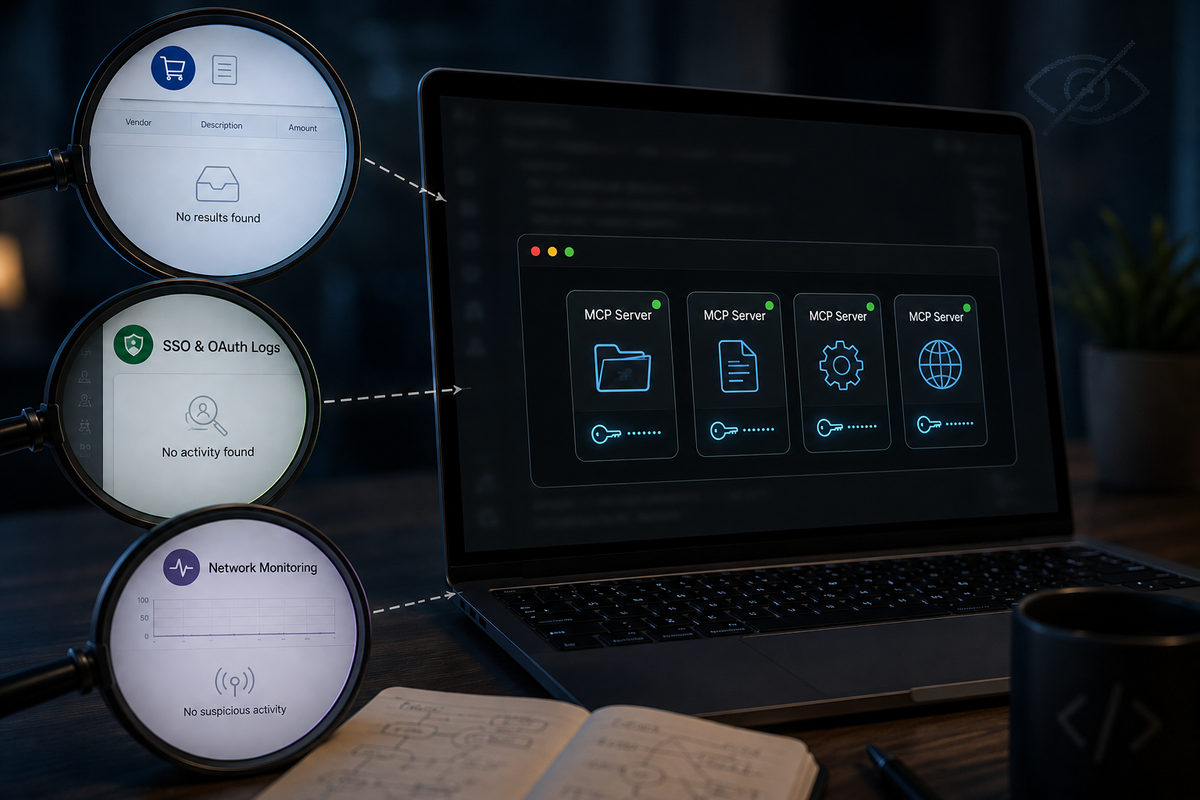
Each of the usual discovery methods has a blind spot in exactly the place MCP servers live.
How a shadow MCP server arrives through a config file
The sharpest version of this is not a developer choosing badly. It is a server no one chose at all.
In February 2026, Check Point Research disclosed a set of vulnerabilities in Claude Code that make the point precisely. Claude Code reads project-level configuration from files that live in the repository: .claude/settings.json and .mcp.json. Changing them takes a merged commit, which branch protection and required review can gate like any other file, and frequently does not, because a config file rarely reads like a change that needs blocking. Researchers found that a repository could set enableAllProjectMcpServers, which auto-approves every MCP server defined in the project, and the attacker’s server would then execute before the user could even read the trust dialog. In their demonstration the payload launched on top of the still-pending prompt, and they escalated the same technique to a reverse shell.
Anthropic has patched this, and Check Point credits their handling of the disclosure. The reason it still matters is the delivery mechanism, which no patch removes. Check Point lists three realistic paths: a malicious pull request that carries the config alongside genuine code changes, a useful-looking honeypot repository, and an internal repo poisoned by one compromised account.
Developers inherently trust project configuration files. They are viewed as metadata rather than executable code, so they rarely undergo the same security scrutiny as application code during code reviews.
That is the shadow MCP problem in one sentence. Your team reviews code. No one has been assigned to review the config that decides which servers connect and what they are allowed to do.
There is a related failure practitioners keep raising: even a server you did review can change. Unless you pinned a version, a tool’s name, description and parameter schema can be updated at any time, and the thing you approved is not necessarily the thing running next week. Approval is being treated as a one-time gate for something that is mutable by default, which is why the pinning practice further down matters more than it sounds.
Invisible connections, measurable costs
The counterargument is that this is a hypothetical, and hypotheticals do not get budget. The measured cost of the general pattern is not hypothetical.
IBM’s Cost of a Data Breach Report 2024 found that 35 percent of breaches involved data stored in unmanaged sources, what the report calls shadow data. Those breaches cost an average of 5.27 million dollars against that year’s global average of 4.88 million, and took 26.2 percent longer to identify and 20.2 percent longer to contain, averaging 291 days.
The newer 2025 edition turned to a more specific version of the same problem: 20 percent of organizations studied had a breach linked to shadow AI, meaning unsanctioned AI tools adopted without IT or security oversight. IBM reports the cost separately, and the two are not the same measurement: a high level of shadow AI added an extra 670,000 dollars to the global average breach cost of 4.44 million. Governance was just as thin. 63 percent of the breached organizations had no AI governance policy in place at all, and those incidents disproportionately exposed customer personal information and intellectual property.
Shadow MCP sits at the intersection of both categories. It is unapproved AI tooling reaching unmanaged data, on machines that hold credentials. IBM does not break down what the premium is paid for. What its shadow-data figures do show is that these breaches took 26.2 percent longer to identify and 20.2 percent longer to contain, and time is the one input that reliably raises every other cost line.
Find which MCP servers are already connected
Before any policy can be written, someone has to answer a factual question: what is running right now. That is a smaller job than it sounds.
MCP configuration lives in predictable places. Client config files on developer machines (Claude Desktop, Claude Code, Cursor, VS Code and similar all keep their own), and repository-level files like .mcp.json and .claude/settings.json that ship with projects. Grepping your own repositories for those filenames is a genuinely useful afternoon, and it finds the category the Check Point research describes: servers that arrive with a codebase rather than a decision.
The second question is not “how many” but what each one can reach. A server holding a read-only token against one dataset and a server holding an admin key are different entries on the same list. Record the credential, not just the name.
The third is who to ask when the answer is unclear. In practice the person who installed it usually remembers, and asking is faster than any scanning tool. This step fails only when people expect to be punished for answering honestly, which is a management decision rather than a technical one.
What teams settle on once they have an MCP server list
Practitioners running MCP at organizational scale keep converging on a similar shape, and knowing the direction of travel beats inventing your own.
The pattern that comes up most often in those accounts is a single org-controlled gateway sitting between users and the tools the company has approved, so that access, logging, and policy have one place to live. Alongside it, an internal registry of approved servers with pinned versions, which addresses the mutability problem directly: you approve a version, not a name. Several teams describe a pre-approval step that runs each candidate through dependency auditing and then observes it in a test environment, logging every tool call it makes for an hour to see whether its behavior matches its description.
The more interesting refinement is access control at the level of individual tools rather than whole servers. In clients that only offer a per-server toggle, approving a server grants everything it exposes, which can be dozens of tools when the job at hand needs two or three. A gateway or policy proxy in front of the server is how teams get back to per-tool control.
You do not need a budget or a product to start. You need one person whose job it is to keep the list, because the usual failure here is not picking the wrong controls. It is that the question never had an owner.
FAQ
QWhat is shadow MCP?
What is shadow MCP?
QHow do I find out which MCP servers my team has installed?
How do I find out which MCP servers my team has installed?
.mcp.json or .claude/settings.json. Searching your codebases for those filenames finds servers that arrived with a project, and asking developers directly usually resolves the rest faster than any scanner.QCan an MCP server be added without a developer approving it?
Can an MCP server be added without a developer approving it?
QShould we just ban MCP servers at work?
Should we just ban MCP servers at work?
QIs shadow MCP different from shadow AI?
Is shadow MCP different from shadow AI?
Sources
- Check Point Research: RCE and API token exfiltration through Claude Code project files (CVE-2025-59536, CVE-2026-21852)
- IBM: Cost of a Data Breach Report 2025
- IBM: Hidden risk of shadow data and shadow AI leads to higher breach costs
- GitHub Security Advisory GHSA-4fgq-fpq9-mr3g (CVE-2025-59536)
Vulnerability details reflect Check Point Research’s February 2026 disclosure, after which the issues were patched. Shadow-data figures (35 percent, 5.27 million dollars) are from IBM’s 2024 report; shadow-AI figures (20 percent, 670,000 dollars) are from the 2025 edition. Descriptions of team practice reflect ongoing practitioner discussion rather than measured survey data.