
AI agent memory poisoning happens when malicious or misleading content enters an assistant’s persistent memory and influences later work. Prompt injection can cause it, but so can a program that directly edits memory files. Deleting the conversation is not a reliable way to remove every kind of persistent state.
The Cisco and Gemini research below demonstrated different entry points. Neither report is evidence of a victim campaign, and the vendors’ reported responses were different too.
Where your AI assistant keeps memory
Claude Code distinguishes instructions in CLAUDE.md from auto memory, the notes the agent saves. Its current documentation describes those instruction files as context, rather than enforced configuration. Local auto memory is enabled by default, with exceptions for some deployment arrangements.
Project memory lives under ~/.claude/projects/<project>/memory/. The separate ~/.claude/settings.json file holds user configuration. A project’s memory is not automatically a global memory for unrelated projects; configuration hooks can have a broader scope.
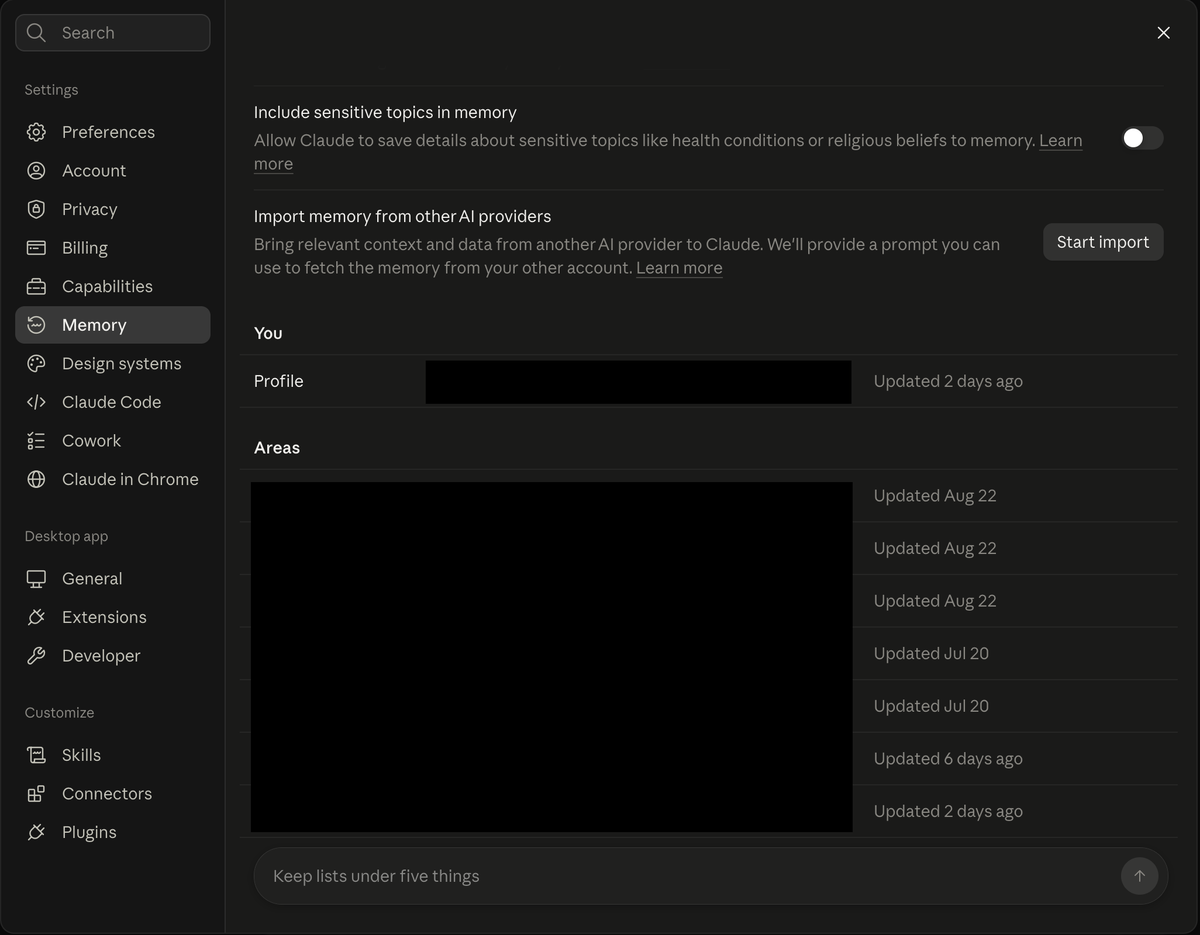
My Claude desktop memory settings when I checked them for this article. This is a different interface from Claude Code’s project memory files. Personal entries are redacted.
Before this post I had never opened my assistant’s memory list and had to be shown where to find it. I found eight entries, the oldest from July, still there in September. I do not think I asked it to save any of them, but I could not swear to that after two months. Nothing in my list was dangerous. My surprise was that I had never checked it.
What the AI agent memory poisoning benchmark measured
A June 2026 study evaluated OpenClaw and HERMES on the authors’ MPBench. It separated successful malicious memory writes from later influence:
| Reported average metric | OpenClaw | HERMES |
|---|---|---|
| Attack success rate: malicious instruction written to memory | 34.25% | 66.67% |
| Retrieval success rate: later behavior influenced, among successful memory writes | 17.40% | 64.70% |
The second row is not a percentage of all attempted attacks. These are the paper’s averages across attack classes, not production incident rates. The frameworks used the same evaluation model; their architectures differed, so the comparison does not isolate a single setting as the cause.
The paper also evaluated four prompt-injection defenses and found incomplete coverage. That is evidence of gaps in those tested defenses, not proof that every detector provides no protection. For the broader distinction between detection and enforcement, see prompt injection detection.
An approved npm install poisoned Claude Code’s memory
Cisco’s April 2026 demonstration began with a repository and a user-approved dependency installation. An npm lifecycle script then ran with the user’s privileges. It modified existing project memories and global hooks, including UserPromptSubmit, to influence later sessions.
The payload also added a shell alias that set CLAUDE_CODE_DISABLE_AUTO_MEMORY=0. That could re-enable memory when Claude was launched through the affected alias; it is not evidence that every launch method ignores the off switch.
In Cisco’s test, the poisoned agent advised committing an API key in source code. This was a researcher-controlled demonstration, not a documented victim incident. Cisco reported that Claude Code v2.1.50 reduced the system-prompt override vector by removing user memories from that prompt. The mitigation did not make arbitrary code running as the user unable to edit user-owned files.
Cisco also reported Anthropic’s position: the local user and scripts running as that user were trusted, and dependency vetting remained the user’s responsibility. The entry point therefore matters. This was a supply-chain execution path with memory as a persistence target, not merely a document overriding operating-system permissions.
One Cisco co-author later called the technique MemoryTrap in an OWASP article. That article is additional explanation from the same researcher, not independent confirmation.
Gemini memory poisoning used a delayed trigger
Johann Rehberger’s February 2025 demonstration used an uploaded document and a later reply in the same chat. The document induced Gemini to save attacker-chosen information after an ordinary trigger word such as yes. The user was answering a conversational question, not knowingly approving those memories.
Rehberger described restrictions on sensitive tool use while processing untrusted data; delaying the memory call got around that protection in his test. He also reported a visible memory-write indicator linking to saved information. An indicator can help a user notice a write, but it does not establish that the user understood or authorized its contents.
According to Rehberger, Google assessed the finding as an abuse risk with low likelihood and impact. That is a researcher-reported assessment, not the same position as Anthropic’s local-user trust argument. This historical demonstration also does not establish the behavior of every current Gemini memory feature.
Add persistence to your agent permission review
Limiting AI agent permissions asks whether an action can be undone and whether information can leave. Memory poisoning adds another useful question:
Can this change what the agent does next time?
The Cisco example does not prove that an approved install was contained. Code with permission to edit your files may have other capabilities too. No demonstrated exfiltration is different from a technical barrier preventing it.
My practical rule is to review persistent changes as part of approving a workflow. A memory entry may be easy to delete while decisions already influenced by it are harder to unwind. If you discover suspicious memory, also examine the process that could rewrite it, including installed packages and hooks. Otherwise, clearing the entry may address only the symptom.
Check the memory controls in the product you use
- Claude Code: use
/memoryto inspect notes and the auto-memory setting. Treat project memories,CLAUDE.mdinstructions, and user configuration as separate surfaces. Turning off automatic notes does not remove instruction files or configuration hooks. - ChatGPT: inspect memory controls under Personalization. Depending on the available features, stored memories and their source chats or files may need separate attention. Deleting a chat alone is not a guarantee that every saved memory is gone.
- Gemini: check Personal context and Gemini Apps Activity. Current help describes past-chat memory: deleting a relevant chat can stop its use after a delay. For information available through a connected app, Google describes deleting the relevant chats and disconnecting the app; either action alone may leave another route to the information.
These controls were checked in October 2026. They are not interchangeable, and the saved-info interface in the historical Gemini research should not be treated as the only current memory control.
FAQ
QIf I delete the chat, is the memory deleted too?
If I delete the chat, is the memory deleted too?
QCan the person who wrote a skill or a CLAUDE.md file see what I do with it?
Can the person who wrote a skill or a CLAUDE.md file see what I do with it?
QDoes turning off memory protect me?
Does turning off memory protect me?
QIs AI agent memory poisoning happening to real users right now?
Is AI agent memory poisoning happening to real users right now?
QWhat is the difference between memory poisoning and ordinary prompt injection?
What is the difference between memory poisoning and ordinary prompt injection?
Sources
- Cisco: Identifying and remediating a persistent memory compromise in Claude Code
- Embrace The Red: Hacking Gemini’s Memory with Prompt Injection and Delayed Tool Invocation
- OWASP Gen AI Security Project: Memory Is a Feature. It Is Also an Attack Surface
- OWASP Top 10 for Agentic Applications
- Dash et al., From Untrusted Input to Trusted Memory: A Systematic Study of Memory Poisoning Attacks in LLM Agents (arXiv:2606.04329)
- Google: Personalization with memory of past Gemini chats
Research examples describe the disclosed test conditions. Benchmark figures are from June 2026 MPBench results, not measurements of all AI agents. Product controls were checked in October 2026.