AI Voice Tools for Solopreneurs: Stop Recording & Create Content Faster (2026)
Recording content is slowing you down. AI voice tools let solopreneurs turn scripts into natural audio in seconds — no mic, no retakes, no wasted time. Here are the best tools to get started.
If you’re a solopreneur, you already know time isn’t just limited — it is the business. And yet one part of content creation keeps eating more of it than it should: recording your voice.
Every new video means setting up again. Every revision means re-recording. Want to reach a global audience? Start from scratch.
So here’s the question worth asking: Does it actually have to be you doing the talking?
AI voice tools for solopreneurs have come a long way. Write once, get audio instantly. No mic, no retakes, no wasted afternoon.
That one shift changes more than you’d expect.
What Are AI Voice Tools?
AI voice tools convert text into natural-sounding speech.
Instead of recording your voice manually, you simply:
Write a script
Paste it into a tool
Generate audio instantly
That’s really it. You don’t need to understand the technology to use it, but two terms come up a lot, so here’s the short version:
TTS (Text-to-Speech) is the core of most AI Voice tools. You type, it speaks. Fast, simple, and what you’ll actually use most of the time.
Voice Cloning takes it a step further — the AI learns from a specific voice and reproduces it. Handy if you want a consistent brand voice without recording it yourself every time.
But honestly? You don’t need to understand either one to get started.
You just need to type—and let it speak.
Why Solopreneurs Should Use AI Voice Tools
For solopreneurs, time isn’t just valuable — it’s the whole business model.
And here’s the honest truth: most content workflows are still built around human time. You can batch your writing, plan your calendar, automate your emails — but the moment you need audio, everything slows down.
Recording is a bottleneck. Think about what it actually takes:
Getting your setup ready
Recording the same section multiple times
Editing out the stumbles
Re-recording whenever the script changes
Stack that up across a week of content, and the hours disappear fast.
AI Voice removes that bottleneck. Here’s what opens up when it does:
Faster production. No mic setup, no retakes, no re-recording. You write the script — the audio generates in seconds. The recording stage just stops being a thing.
More output from the same effort. One script becomes a YouTube video, a podcast episode, a short-form clip. Different formats, same source, no extra recording sessions.
Global reach without the extra work. The same content in English, Spanish, Japanese — without recording a single additional line. You scale the content; AI handles the voice.
This isn’t just a nice-to-have feature. It’s a way to turn your limited time into actual leverage.
Best AI Voice Tools for Solopreneurs (2026)
There are a lot of AI Voice tools out there. A lot.
But for solopreneurs, the number of features doesn’t really matter. What matters is whether you can open it, use it, and get a usable result — fast.
So I filtered everything down to four criteria:
Natural sound: Does it actually sound like a person?
Speed: Can you get a result without a learning curve?
Price: Is it realistic for a one-person operation?
Practical fit: Can you use it for real content, right now?
Here are the top AI voice tools based on quality, ease of use, and real-world usefulness.
ElevenLabs — Best Overall Quality
If audio quality is your top priority, this is the one.
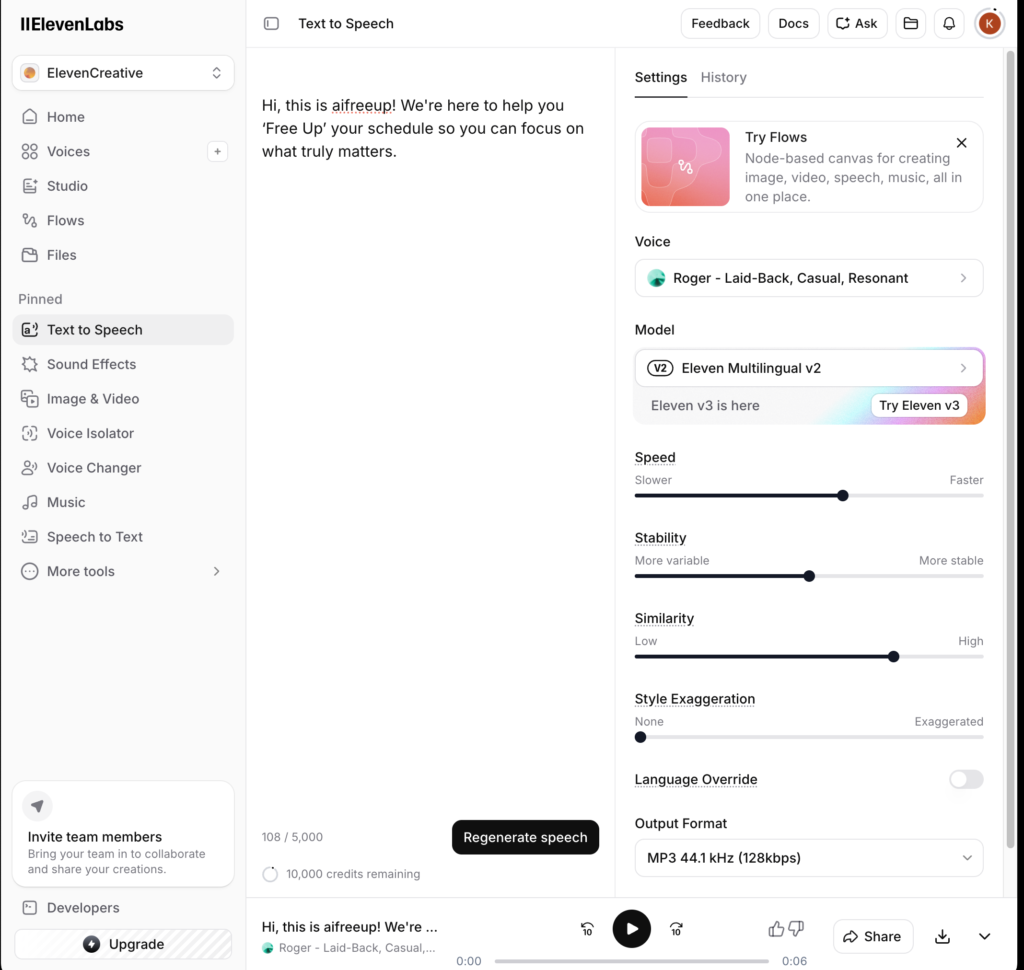
ElevenLabs currently produces some of the most natural-sounding AI voices available. The tone, pacing, and end-of-sentence inflection are all noticeably better than most competitors — and the Voice Cloning feature is genuinely strong if you want a consistent brand voice.
Most natural-sounding voice quality available right now
Strong emotional range and natural inflection
Powerful Voice Cloning
Cons:
Free plan is limited
Advanced features require a paid tier
Quick test: I ran a script through it. First impression — it sounded more human than I expected. The sentence rhythm felt natural, not robotic.
Test Result: Listen for yourself.
Murf — Easiest Starting Point
If you’ve never used an AI Voice tool before, start here.
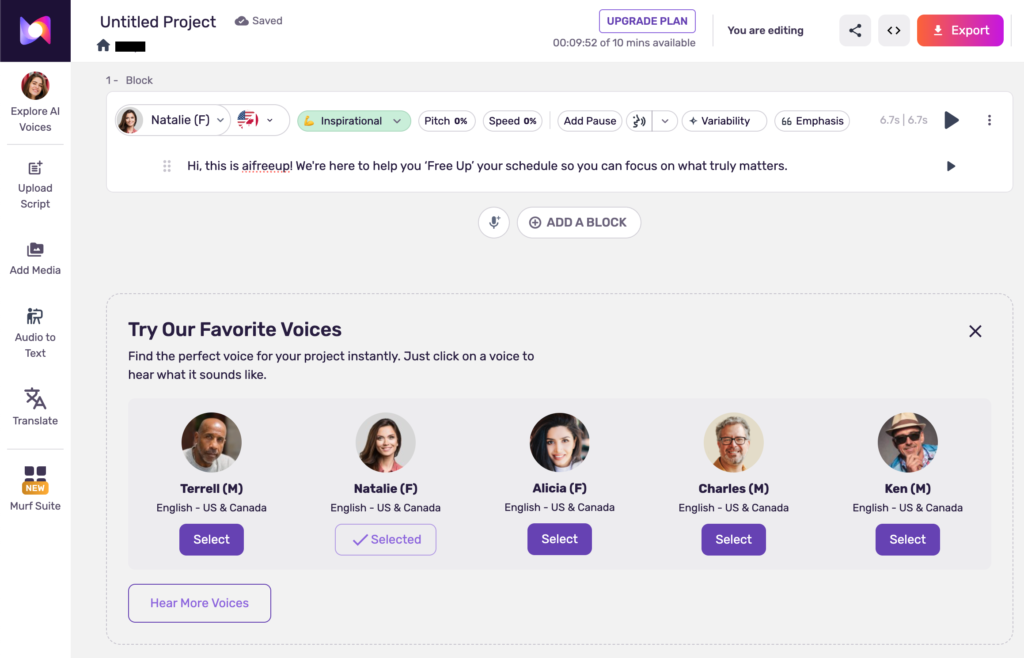
Murf is built around ease of use. The interface is clean, the workflow is straightforward, and you don’t need any technical background to get a result. It also lets you pair audio with visuals inside the platform, which is useful if you’re putting together presentations or simple videos.
Best for:
First-time AI Voice users, freelancers working on client projects, anyone who wants a simple tool with a short learning curve.
Pros:
Very beginner-friendly interface
Audio and video editing in one place
No technical setup required
Cons:
Voice naturalness doesn’t quite match ElevenLabs or Play.ht at the top end
Quick test: I tested Murf using the same script I used for ElevenLabs. The result wasn’t bad — it’s clear and easy to listen to — but there’s a noticeable AI quality to it. It gets the job done, but if you’re after something that sounds truly natural, you might feel the difference.
Test Result: Unfortunately, the free plan doesn’t allow audio export, so I wasn’t able to attach a sample here — unlike ElevenLabs, which let me download the file directly.
Descript — Best for Content Creators
If you’re already producing YouTube videos or podcasts, Descript fits into that workflow in a way the other tools don’t.
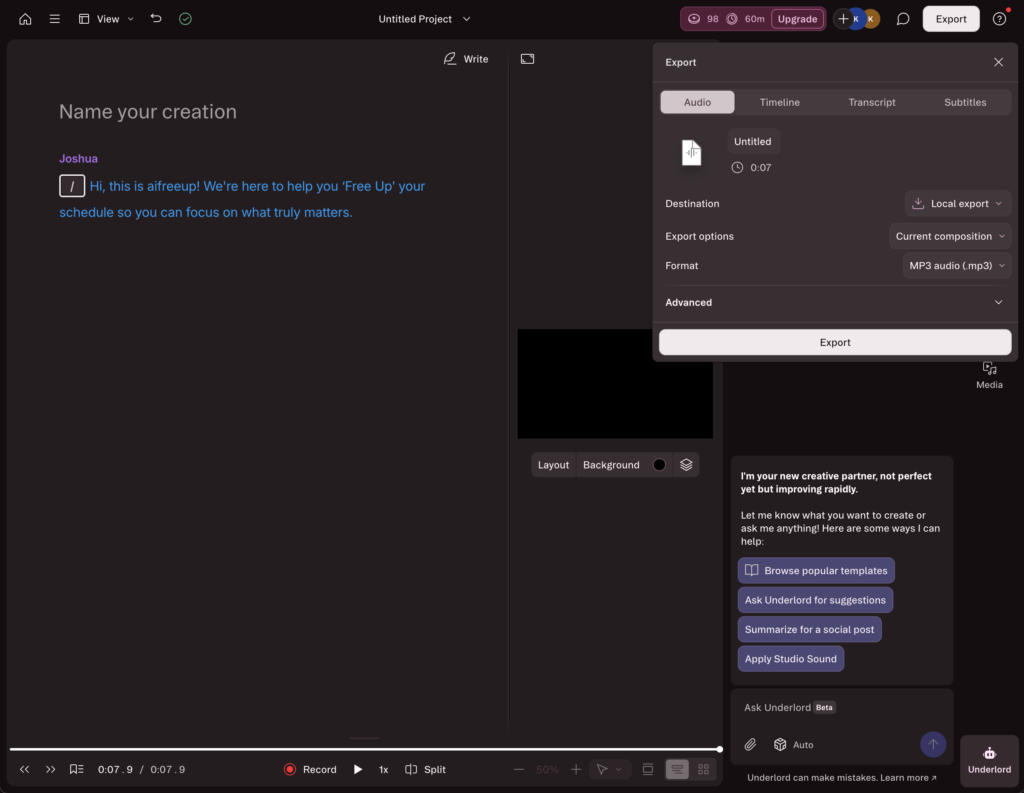
The core idea is text-based editing — you edit your audio or video by editing the transcript, which is a genuinely different (and faster) way to work. AI Voice is built into that process, so you’re not jumping between tools. It’s a bit more involved to learn than the others, but for creators who are serious about output, the workflow payoff is real.
Best for:
YouTubers, podcasters, anyone who edits a lot of audio or video content.
Pros:
Edit audio and video by editing text
AI Voice integrated into the production workflow
Significant time savings for regular creators
Cons:
Steeper learning curve than a dedicated TTS tool
Quick test: Descript took a bit more setup compared to the other tools — you’ll need to create a project and get familiar with the interface before you can generate anything — but once it’s running, the audio quality is solid.
Test Result: Take a listen.
Amazon Polly — Best for Automation
Amazon Polly isn’t built for casual use — and that’s exactly the point.
If you’re working toward automated content pipelines, building a system that generates audio at scale, or integrating voice into a larger workflow, Polly is the most cost-effective and scalable option available. The price per character is extremely low, and the API gives you flexibility that consumer tools don’t.
That said, if you’re just getting started with AI Voice, this isn’t where you begin.
Best for:
Developers, automation builders, anyone processing large volumes of content or building systems around AI Voice.
Pros:
Very low cost at scale
API-based, highly flexible
Reliable and stable
Cons:
Not beginner-friendly — requires technical setup
No polished UI for casual use
Play.ht — Best for Global Content
If you’re creating content for multiple languages or want to turn written content into audio, Play.ht is the practical choice.
It supports a wide range of languages and voices, and one of its most useful features is direct blog-to-audio conversion — you paste your content and get an audio version ready to publish. Quality is solid across the board, though some voices show more variation than others.
Best for:
Creators targeting international audiences, anyone repurposing blog posts into audio, solopreneurs planning to expand into multiple languages.
Pros:
Wide language and voice selection
Blog-to-audio conversion built in
Strong value at the price point
Cons:
Voice quality varies depending on language and voice selected
Free tier can be quite unreliable — generation failures are common
Personal Note: I tested Play.ht myself, but for some reason, couldn’t get a single successful generation. After 8 failed attempts, I tried keeping it as simple as possible — even just typing “Hello” — but still got a generation error. Switching voices didn’t help, and neither did lowering the quality setting to Fast. Honestly, I’m not sure what caused it. I was on the free plan, so that could be part of the reason — if you’re on a paid plan, your experience might be quite different.
When (NOT) to Use AI Voice
AI voice tools work best in structured, repeatable workflows, but not always the right choice.
Use It When:
Avoid It When:
– Creating faceless content – Producing high volumes of content – Repurposing blog posts into audio – Working with templates
– Your brand depends on your personal voice – Emotional storytelling is the main focus – Authentic delivery matters more than speed
How to Get Better Results with AI Voice
Most people focus on the tool. But the script is just as important.
Pick one. Try it today. You can always switch later — but the worst move is spending another week comparing tools instead of making content.
FAQ
AI voice tools convert text into spoken audio using text-to-speech technology.
ElevenLabs is best for quality, while Play.ht works well for multilingual content.
In many cases, yes. But for personal or emotional content, human voice is still stronger.
Yes, especially for faceless channels and educational content. If you’re creating faceless YouTube content, combining AI voice tools with a structured script workflow can dramatically speed up production.
Yes, many tools offer multilingual voice generation.
The Bottom Line
The best AI voice tool is the one you actually use.
ElevenLabs if you want the best quality. Play.ht if you’re going global. Murf if you’re just getting started. Descript if you’re already deep in content production. Polly if you’re building something automated.
Pick one, run a quick test, and see what it does for your workflow. That’s worth more than another hour of research.