
Most AI agent security risks come down to a single shift, and it is about permissions rather than product names: the model has been given a way to act without waiting for you. A chatbot with connected tools can act too; an agent is the version where acting unattended is the default. When you ask a chatbot with no tools something, it answers, and you decide what to do next. An agent is set up to skip that step, and how much it skips is a setting rather than a law: a well-run deployment still gates payments and deletions. Where nothing gates it, the agent sends the email, runs the code, updates the spreadsheet, or place the order on its own. That autonomy is exactly what makes agents useful, and exactly what makes them risky.
This is not a theoretical worry anymore. In 2026, research from the Cloud Security Alliance and Token Security found that 65% of organizations had at least one AI-agent-related security incident in the past year. This guide is the map of what can go wrong when AI acts on its own, so you can spot the risk before you hand an agent the keys.
I got a first-hand reminder of this while writing this post. I let Claude act as an agent in my browser, searching and clicking on my behalf, and before it could do anything it asked for two macOS permissions: full control of my mouse and keyboard, and the ability to record my screen. The access is genuinely useful, and it is also a lot of reach to hand any piece of software. It is exactly the kind of broad access that turns a small agent mistake into a real one.
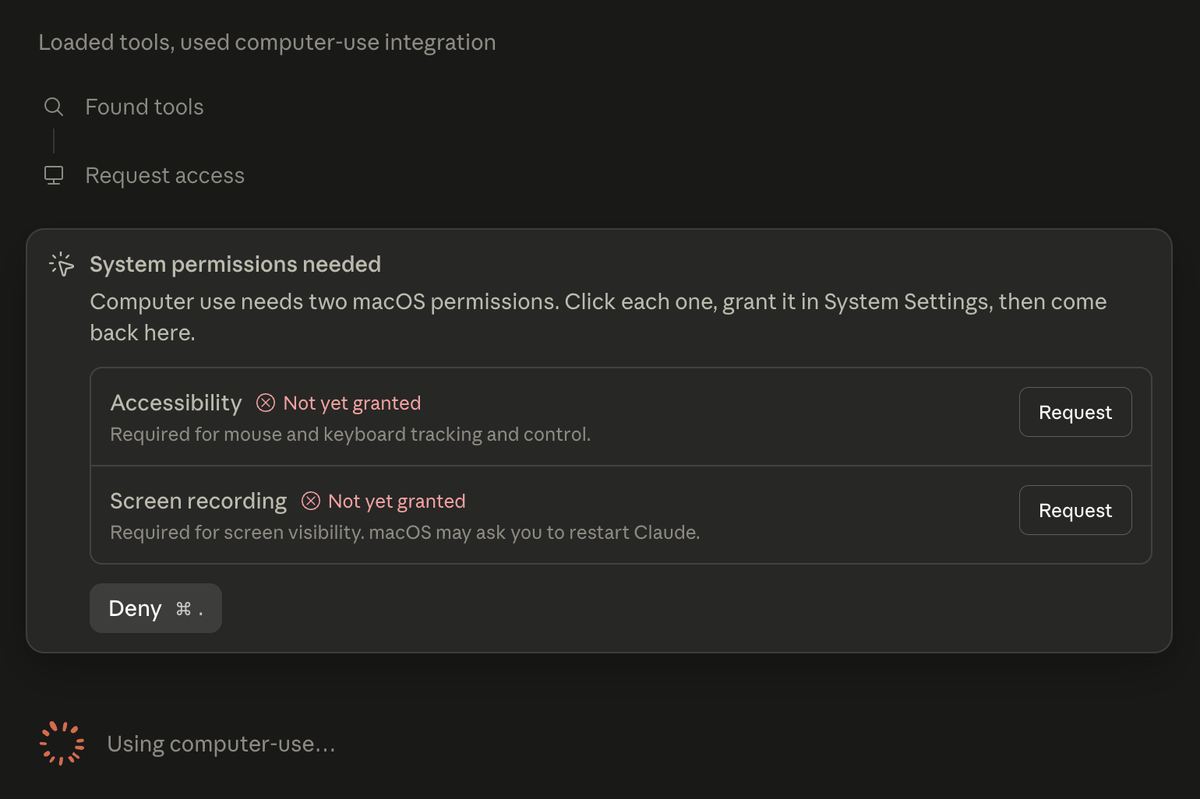
Letting Claude act in my browser meant granting full mouse and keyboard control plus screen recording. That reach is the point, and the risk.
Chatbots propose, agents act
A chatbot with no tools connected has a natural safety valve: you. It proposes, you dispose, and nothing reaches another system until you take the next step. That valve is a configuration rather than a property of chatbots, and an agent is what you get when it is removed. Give it access to your email, files, and tools, tell it a goal, and it will take whatever actions it decides are needed to reach that goal.
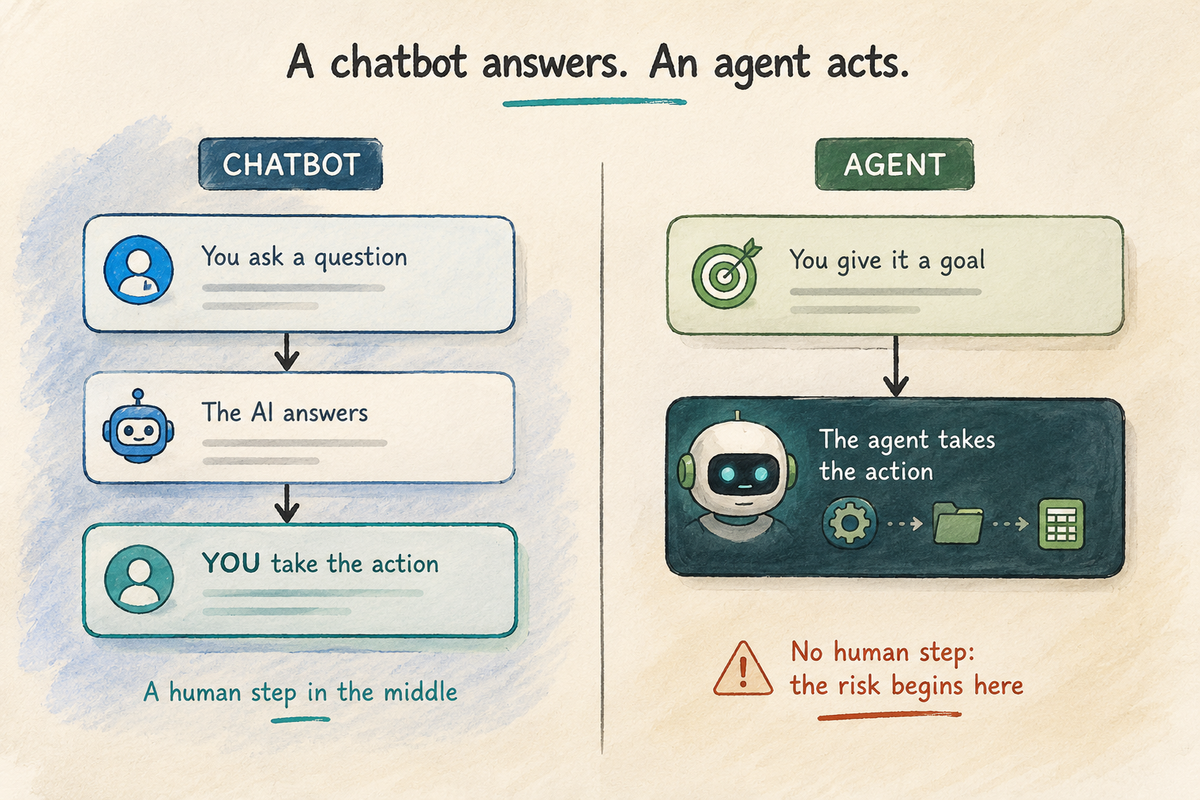
A chatbot proposes and you dispose. An agent removes the human step and acts on its own, which is where the risk begins.
That single change turns a wrong answer into a wrong action. A chatbot that misunderstands you produces a wrong answer, and the damage depends on whether you act on it, which people do. An agent that misunderstands you acts on it itself, and might email the wrong person, delete the wrong file, or approve the wrong refund before anyone notices.
Five AI agent security risks, in plain terms
The failures worth understanding first fall into five groups. OWASP’s agentic list is longer and more granular, and this is the short version rather than the complete one.
1. It does too much (excessive agency)
This is the headline risk, and OWASP lists it as “Excessive Agency.” The model gets something slightly wrong, and because it was allowed to act, the small mistake becomes a real incident: it issues the refund, changes the shipping address, updates the customer record, or runs the command. The danger isn’t that the AI is evil; it’s that it’s confidently wrong while holding real permissions.
2. It gets hijacked by what it reads
Agents constantly read outside content: web pages, emails, documents, tickets. Hidden instructions in that content can redirect the agent without anyone seeing it, an attack called indirect prompt injection. Because an agent can then act, a hidden line of text can turn into a real action, like leaking data or sending a message. (For how this works, see our guide to direct vs indirect prompt injection.)
3. It exposes or leaks data
To be useful, agents get broad access to your information, and broad access is exactly what leaks. In the 2026 incident data, 61% of agent-related incidents involved sensitive data exposure. An over-connected agent can pull data from one place and send it somewhere it never should have gone.
4. It uses tools and permissions it shouldn’t
Agents act through tools and credentials, and the credential is usually the weak point. Gravitee’s 2026 survey found only about 22% of teams give agents their own identity, which leaves the rest sharing keys with people or with other tools. A shared key cannot be scoped or revoked for one agent alone, so when something goes wrong, whatever that key can reach is the blast radius.
5. One agent’s mistake spreads to others
As teams chain agents together, a single compromised or confused agent can feed bad output into the next one. In one Galileo AI simulation from December 2025, a single poisoned agent corrupted 87% of downstream decisions within four hours. That is a constructed scenario rather than a measured industry rate, and the number will move with how the agents are wired and what checks sit between them. Errors propagate faster than a human can catch them.
Confidence is rising faster than security
The uncomfortable part isn’t just the incidents; it’s the gap between how safe leaders feel and how exposed they actually are, and that gap is widening fast. In Gravitee’s 2026 State of AI Agent Security research, stated confidence in agent visibility jumped from 82.6% to 91.8% in just four months, while the agents themselves did not get much safer: on average, 48% of production AI agents still run unsecured. In the same research, only about 24% of organizations said they had full visibility into which of their own agents are talking to each other.
In other words, agents are being trusted with real actions faster than anyone is watching them. That mismatch, high autonomy plus low oversight, is what turns an ordinary mistake into a headline.
The high end is no longer hypothetical either. In November 2025, Anthropic disclosed the first documented large-scale cyberattack run mostly by an AI agent: attackers manipulated its Claude Code assistant into carrying out an estimated 80 to 90 percent of a cyber-espionage campaign, by feeding it small, routine-looking tasks that added up to a real attack. Roughly thirty global targets were attempted and Anthropic says the operation succeeded against a small number of them, which is worth holding onto, because the striking figure here is the share of the work the agent did rather than the hit rate. Almost no one reading this will face a state-sponsored crew, but the mechanism is the same one in your own tools: an agent that can chain small actions can be steered into a big one.
Limit the damage, not the autonomy
You don’t make agents safe by trusting them more carefully; you make them safe by limiting what a mistake can do. Four moves do most of the work for a small team, and each is its own deeper topic. This is where to start, not the whole of agent security: supply chain, secrets management, network egress and incident recovery all matter once you are past the basics.
- Least privilege. Give an agent access only to the specific tools and data the task needs, nothing more.
- A human in the loop for anything irreversible. Sending money, deleting data, emailing customers: require a person to confirm.
- Its own identity and a log. Give each agent its own credentials, not a shared key, and log what it does, ideally down to which instruction triggered which action, under which permissions, and whether a human approved it. That log tells you what happened and how far it went. It does not undo a sent email or a completed payment, which is why the approval step above sits in front of the actions that cannot be taken back.
- Guard what it reads. Treat outside content as untrusted, since that’s the main way agents get hijacked.
Each of these is expanded in the rest of this series, from limiting agent permissions to understanding the tools and connectors agents rely on. Start here, then go deeper where it matters for you.
FAQ
QCan an AI agent take actions without my approval?
Can an AI agent take actions without my approval?
QAre AI agents safe to connect to my email, files, and accounts?
Are AI agents safe to connect to my email, files, and accounts?
QWhat is the most common way AI agents cause security incidents?
What is the most common way AI agents cause security incidents?
QCan I trust an AI agent with payments or other sensitive actions?
Can I trust an AI agent with payments or other sensitive actions?
QHow do I stop an AI agent from doing something I didn’t intend?
How do I stop an AI agent from doing something I didn’t intend?
Sources
- OWASP: LLM06 Excessive Agency (Top 10 for LLM Applications)
- Cloud Security Alliance and Token Security: AI agent security incident research, 2026
- Gravitee: State of AI Agent Security 2026 Report
- Anthropic: Disrupting the first reported AI-orchestrated cyber espionage campaign (Nov 2025)
Figures reflect industry reports published in 2026. Check the linked primary sources for methodology and updates.